Vector vs Raster Images: Which One Prints Sharp at Any Size?
What is the difference between vector and raster images?
A vector image is built from mathematical shapes, so it stays sharp at any size, while a raster image is a fixed grid of pixels that blurs when enlarged. Wikipedia describes vector graphics as images created directly from geometric shapes defined on a Cartesian plane, and raster graphics as a grid of coloured pixels (Wikipedia: Vector graphics, Wikipedia: Raster graphics).
Here are the 4 differences that matter for print:
- Scaling: a vector circle stays smooth when you zoom in. A raster image enlarged from business card size to billboard size blurs or pixelates.
- File size: a vector stores a few shapes, and a raster stores every pixel.
- Best use: vectors suit logos, typography, signs and line art, and rasters suit photographs.
- Editing: vector shapes can be edited one at a time. Raster edits change pixels.
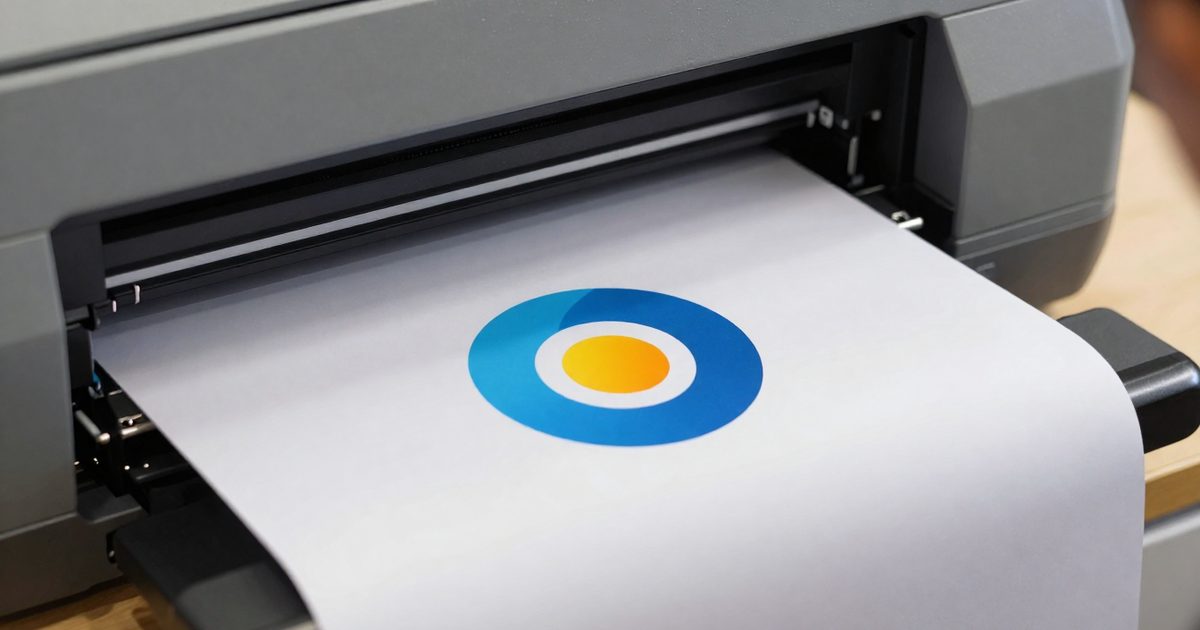
Every printer and screen works with pixels in the end, so a vector gets converted to pixels (rasterized) at output. That step is why the output resolution matters, and the next section explains it.
Which files should you ask a designer for?
You don’t have to guess what to request. Ask for these 3 files, and you’ll cover every job:
- A vector master in AI, SVG or PDF. It’s the file you’ll resize and edit later.
- A PNG with a transparent background. Wikipedia’s comparison lists PNG as lossless with transparency support, so it’s the right raster copy for screens and documents.
- A JPG preview. It’s small, it opens anywhere, and you can share it for quick approvals.
Why do raster images need a DPI?
Raster images need a DPI because the pixel count is fixed, so the print size decides how densely the pixels are packed. The formula is pixels divided by DPI, which gives inches.
A 3,000 x 2,000 pixel photo prints 10 x 6.67 inches at 300 DPI, and 20 x 13.33 inches at 150 DPI. The pixels didn’t change. They were spread over a larger area. Stretch them far enough and the pixels become visible.
A vector doesn’t have this limit. Its shapes are recalculated at any size, and the DPI is chosen only when the file is rasterized. The DPI calculator works out the DPI from any pixel count and print size, and the 300 DPI page lists the pixel size of common prints at 300 DPI.
If you’re unsure which type you’re holding, zoom in to 800%. A raster shows square pixels, and a vector shows smooth edges. To change a raster file’s resolution in an editor, read how to change DPI in Illustrator and GIMP.
Which file types are vector and which are raster?
JPEG, PNG, GIF, WebP, TIFF and BMP are raster formats, SVG, EPS and AI are vector formats, and PDF can hold both. Wikipedia’s comparison of graphics file formats lists these types, and it marks TIFF, AI and EPS as able to carry both raster and vector content (Wikipedia: Comparison of graphics file formats).
| Format | Type | Notes |
|---|---|---|
| JPEG | Raster | Lossy compression, no transparency |
| PNG | Raster | Lossless, supports transparency |
| GIF | Raster | Limited palette, supports animation |
| WebP | Raster | Lossy and lossless modes |
| TIFF | Raster (can hold vector) | Common for scans and imaging |
| SVG | Vector | W3C standard, built on XML |
| EPS | Vector | Adobe’s Encapsulated PostScript, used in publishing |
| AI | Vector | Adobe Illustrator’s file type |
| Both | Holds text, fonts, vector graphics and raster images |
The W3C describes SVG as a format whose content can be rendered at different display resolutions, so printer output can use the printer’s full resolution (W3C: SVG 1.1 Second Edition). Wikipedia describes a PDF as a complete description of a fixed-layout document, including text, fonts, vector graphics and raster images (Wikipedia: PDF). That’s why a PDF with a placed photo has a vector logo and a raster photo in one file.
When should you use vector for print?
Use vector for print when the artwork has to be reproduced at several sizes or when edges must be crisp: logos, signs, banners, vehicle graphics and line illustrations. One vector master file serves a business card and a billboard.
A logo grabbed from a website
Website logos are the usual trap. Say a logo is 300 x 100 pixels, and you want it 3 inches wide on a flyer. The result is 100 DPI (300 / 3), and print needs far more. To hit 300 DPI at 3 inches wide, you’d need 900 pixels across (3 x 300). Asking for the vector original saves you from the whole problem, because a vector logo doesn’t have a pixel count to run out of.
Use this quick rule:
- Logo, icon or type: vector. Keep an AI, SVG or PDF master.
- Photograph: raster. Use a high pixel count and check it with the megapixel calculator.
- Photo plus logo plus text: a vector PDF that places the photo as a raster image.
Here’s the practical rule: if it’s a logo, you’ll want vector, and if it’s a photo, you’ll want pixels. Don’t try to force one into the other, because it’s rarely worth the effort.
Converting the other way is harder, and you shouldn’t count on it. Wikipedia notes that going from vector to raster is simple, while the reverse is much more difficult. Illustrator’s Image Trace does turn raster artwork into vector paths, but Adobe says tracing photos for infinite scaling doesn’t work well (Adobe: Image Trace best practices). Ask the designer for the original file whenever you can.
How do you convert vector to pixels for a banner?
To convert a vector to pixels for a banner, multiply the banner size in inches by the DPI you’ll export at. Feet become inches first, since 1 ft = 12 in.
Take a 6 ft x 3 ft banner. That’s 72 x 36 inches. The table shows the pixel size at four resolutions:
| Export DPI | Pixels (72 x 36 in) | Megapixels |
|---|---|---|
| 72 | 5,184 x 2,592 | 13.4 |
| 100 | 7,200 x 3,600 | 25.9 |
| 150 | 10,800 x 5,400 | 58.3 |
| 300 | 21,600 x 10,800 | 233.3 |
A vector logo on that banner stays sharp at every row, because the printer rasterizes it at its own resolution. A raster logo is limited to the pixels it already has. Divide the pixel width by 72 inches to find its real DPI: a 3,600 pixel wide logo prints at 50 DPI on that banner.
Photos behave the same way. A 4,000 x 3,000 pixel photo on a 6 ft (72 in) wide banner works out to 4,000 / 72 = 55.6 DPI. It’s the pixel count, not the file type name, that decides how sharp the banner looks from a short distance.
If you’ve only got a raster logo, you’ve got 2 choices. You can ask for the vector original, or you can try Image Trace in Illustrator. Adobe notes that gradients split into many solid-colour shapes when traced, so a flat-colour logo is the best candidate.
Use the feet and inches to pixels converter to skip the arithmetic, and visit the FeetToPixels homepage for every other size converter. If the printer’s file spec names a DPI, you’ll know how many pixels the export needs before you start.
Frequently asked questions
What kind of file is a PDF, vector or raster?
Both. A PDF file can hold text, fonts, vector graphics and raster images together. A logo drawn with paths stays vector inside a PDF, and a photo placed in the same PDF stays raster.
Can you convert raster to vector?
Yes, but with limits. Illustrator's Image Trace turns pixels into paths. Adobe says tracing photos for infinite scaling doesn't work well, and that gradients split into many solid-colour shapes, so flat artwork traces best.
Is SVG good for print?
Yes, for logos and line art. SVG is a W3C vector format, so a printer can render it at the full resolution of the device. Confirm with your print shop first, because many shops ask for PDF.
Do vector files have a DPI?
No. A vector has no pixel grid, so it has no DPI until it's rasterized. At that moment the output resolution decides how many pixels the file gets.
Are photos ever vector?
No. A camera records a grid of pixels, so a photo is raster. Tracing a photo into vector shapes creates a stylised copy that loses fine detail.