What Is DPI? Dots Per Inch Explained for Print and Screens
What does DPI mean?
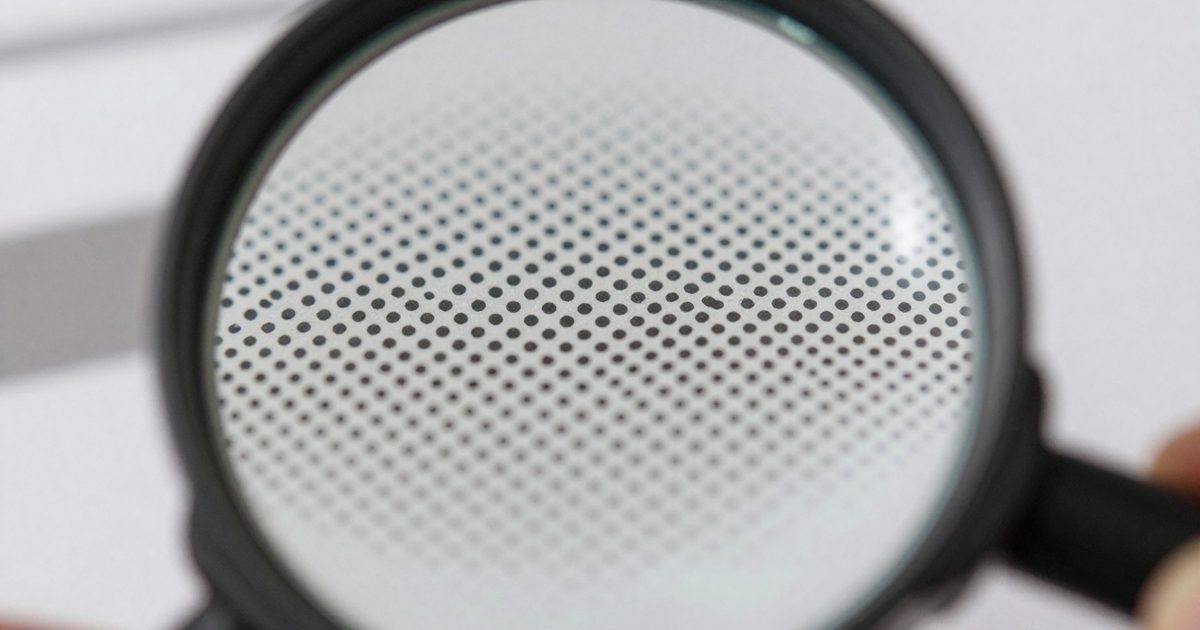
DPI stands for dots per inch, the number of dots a printer places in 1 inch (2.54 cm) of paper. The term refers to the output resolution of a printer or imagesetter (Wikipedia: Dots per inch).
Higher DPI means smaller, denser dots and finer detail. Laser printers range from 600 to 2,400 DPI, and high-end models reach 1,200 to 1,440 and 2,400 to 2,880 (same source).
People also say DPI when they mean pixels per inch (PPI), the density of pixels in an image file. The 2 numbers describe different things, but print workflows treat them as one setting, and you’ll see “300 DPI” used for both. It isn’t wrong in practice, and it’s the reason a file’s setting and a printer’s rating can share one name. This guide uses DPI for the print density you choose. The FeetToPixels homepage lists the calculators for every conversion in it.
How does DPI affect print size?
Print size in inches equals pixel count divided by DPI. A 2400 x 3000 pixel image prints 8 x 10 in (20.3 x 25.4 cm) at 300 DPI, because 2400 / 300 = 8 and 3000 / 300 = 10.
Lower the DPI and the same pixels cover more paper. At 150 DPI that image prints 16 x 20 in (40.6 x 50.8 cm). At 72 DPI it prints 33.33 x 41.67 in, and each pixel is big enough to see. The file hasn’t changed. It’s spread over more paper, and that’s all DPI does here.
The reverse formula tells you how many pixels a print needs: pixels = inches x DPI. An 8 x 10 in print at 300 DPI needs 2400 x 3000 pixels, and a 12 in wide print at 300 DPI needs 3600 pixels across. Wikipedia uses the same logic: a 1,000 x 1,000 pixel image labelled 250 PPI prints at 4 x 4 in (Wikipedia: Dots per inch).
Here’s a quick check with 3000 pixels of width: at 300 DPI it’s 10 in (25.4 cm), at 200 DPI it’s 15 in (38.1 cm) and at 100 DPI it’s 30 in (76.2 cm). The pixels stay fixed, so a bigger print always means a lower DPI.
Two tools do this math for you. The inches to pixels converter returns the pixel size for any print size and DPI, and the pixels to print size calculator works backward from a file you’ve already got.
Common DPI values and where they’re used
There are 5 DPI values you’ll see most: 72, 96, 150, 300 and 600. Each one belongs to a different job. The table shows the pixels an 8 x 10 in print needs at every value:
| DPI | Pixels for 8 x 10 in | Where it’s used |
|---|---|---|
| 72 | 576 x 720 | Default screen density on early Macs |
| 96 | 768 x 960 | Windows and CSS default density |
| 150 | 1200 x 1500 | Large-format prints and posters |
| 300 | 2400 x 3000 | High-quality photo and document print |
| 600 | 4800 x 6000 | Entry-level laser printer output |
Apple’s Macs defaulted to 72 PPI and Windows to 96 PPI starting in the 1980s (Wikipedia: Dots per inch). For print, Instantprint says 300 dpi provides high-quality, detailed images, and it names 150 dpi the optimum for large-format print (Instantprint: Resolution guide).
The 600 row describes a printer’s capability, not a file setting. Entry-level laser and utility inkjet printers run at about 600 dpi (Wikipedia: Dots per inch). A 300 DPI file doesn’t need a 300 DPI printer, because a 600 DPI printer lays a 2 x 2 grid of dots for each of its pixels.
Viewing distance decides how much of that density you’ll see. 20/20 vision resolves detail of one minute of arc (Wikipedia: Visual acuity), which gives a useful DPI of about 3,438 divided by the viewing distance in inches. At 12 in (30.5 cm) that’s 286 DPI, and at 24 in (61 cm) it’s 143 DPI. That’s why a poster doesn’t need 300 DPI, and why you won’t notice 600 DPI files on a wall.
The 300 DPI page lists ready-made pixel sizes for the most common print formats.
Does DPI matter for screens?
No, DPI doesn’t change how an image looks on a screen. A monitor shows an image from its pixel dimensions alone. A 1000 x 1000 pixel image looks the same on screen at 72 ppi and at 300 ppi (Adobe: Image size and resolution).
Screens have a density of their own, measured in PPI. You get it from PPI = diagonal in pixels / diagonal in inches. A 24 in Full HD monitor (1920 x 1080) has 91.8 PPI, and a 27 in 4K monitor (3840 x 2160) has 163.2 PPI. Software still assumes a nominal value, and Windows treats every screen as 96 PPI (Wikipedia: Dots per inch).
Web designers don’t need to set DPI at all. A 1200-pixel-wide banner takes 1200 CSS pixels at any DPI setting, and a browser won’t read the number. Our PPI calculator gives the true density of a display, and that’s the number to use when you’re choosing a monitor.
How do you find the DPI of an image?
Open the image in an editor and read its resolution field. There are 3 ways to get the number.
- Photoshop: choose Image > Image Size. The Resolution box shows the value in pixels per inch, and the Resample checkbox controls whether the pixel count changes (Adobe: Image size and resolution).
- Mac Preview: choose Tools > Adjust Size. The panel has a Resolution box, and unchecking Resample image keeps the pixel count fixed while you change width or height (Apple: Crop, resize or rotate an image in Preview).
- By math: divide the pixel width by the print width. A 3000-pixel image on a 10 in wide print runs at 300 DPI (3000 / 10 = 300), and the same image on a 20 in print runs at 150 DPI.
The math matters most. The resolution field is just a label until you set a print size, and the pixel count decides whether a print looks sharp. A file labelled 300 DPI with 600 pixels across prints 2 in wide at that density, and it won’t look sharp once you stretch it to 8 in, because the density falls to 75 DPI (600 / 8).
Don’t trust the label alone. Two files can both say 300 DPI and differ by thousands of pixels, and the one with more pixels is the one that’ll print larger without looking soft.
The DPI calculator does step 3 for you. Enter the pixel size and the print size, and it returns the DPI.
Frequently asked questions
Is higher DPI always better?
No, because viewing distance caps the benefit. Instantprint calls 150 dpi the optimum for large-format work, and Imaging Resource notes billboards print near 15 dpi since nobody views them up close.
Is 72 DPI good enough to print?
No, if 72 DPI describes the real pixel count. An 8 x 10 in print at 72 DPI uses only 576 x 720 pixels and looks soft. A 2400 x 3000 file tagged 72 DPI still prints sharp at 300 DPI.
Does changing DPI change file size?
No, not when resampling is off. Photoshop's Image Size dialog then changes only resolution and print size, and the pixel dimensions stay the same, so the pixel data stays the same too.
What DPI is a phone photo?
A phone photo has no fixed DPI. It has a pixel count, such as 4000 x 3000, and you pick the DPI at print time. At 300 DPI that photo prints 13.33 x 10 in (33.9 x 25.4 cm).
Is DPI the same as the number of pixels in an image?
No, DPI is a density and the pixel count is a total. A 3000-pixel-wide image has 3000 pixels at any DPI, but it prints 10 in wide at 300 DPI and 20 in wide at 150 DPI.